Shopify Crypto Payments: Complete Integration Guide
Learn how to accept Bitcoin, Ethereum, and stablecoins in your Shopify store. Step-by-step guide to crypto payment gateway integration in 2026.
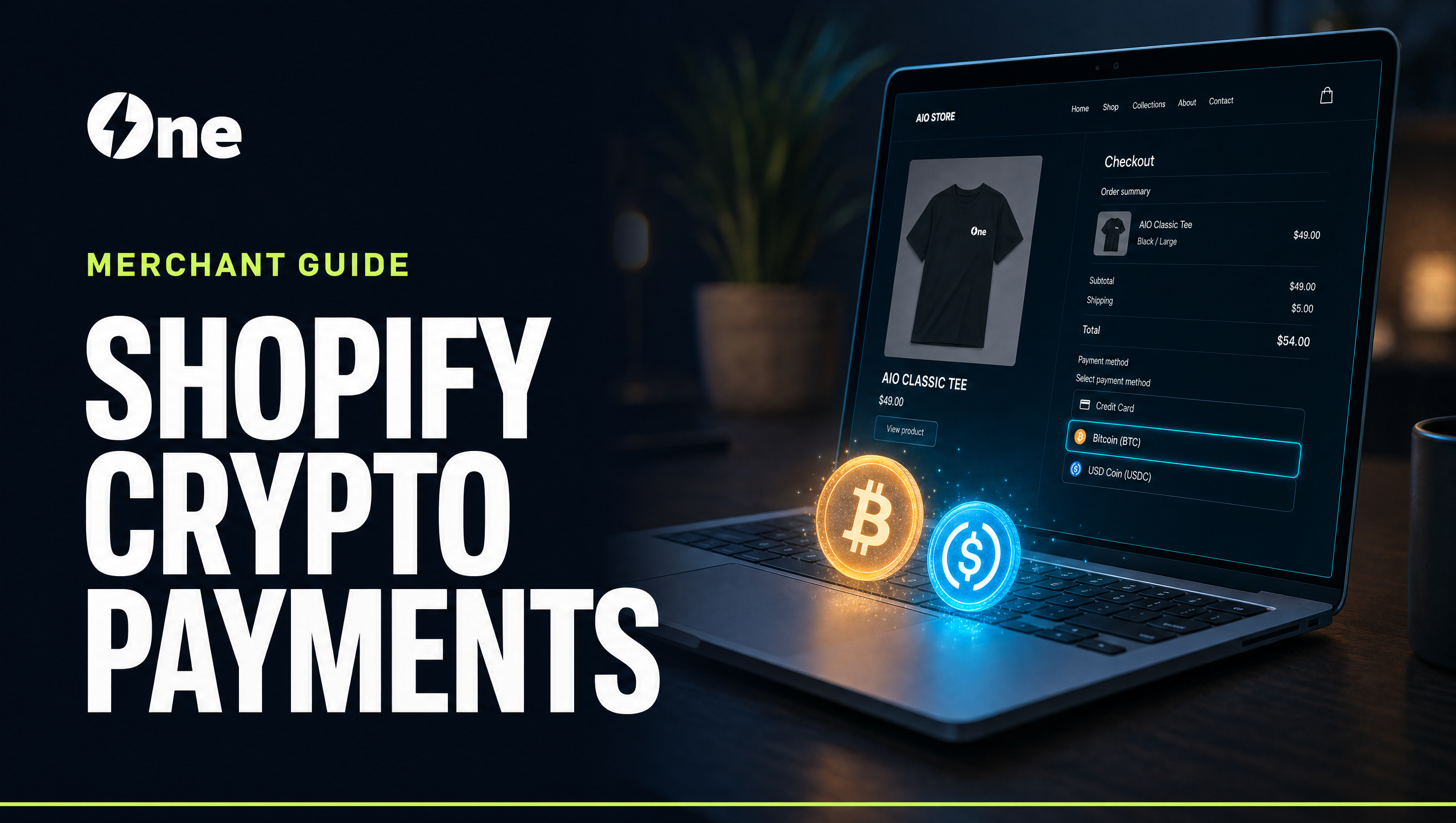
Shopify powers over 4.6 million merchant storefronts globally, yet fewer than 3% currently accept cryptocurrency as a payment method. That gap represents a measurable opportunity, because crypto holders spent an estimated $12 billion on goods and services in 2024, with demand concentrated in electronics, gaming, travel, and luxury goods, which are categories where Shopify merchants compete hard for margins. Adding a crypto checkout takes under an hour with the right gateway, cuts processing fees from Shopify Payments' 2.9% + $0.30 to as low as 0.3% pay-in with 0% payout fees, and eliminates chargeback fraud entirely.
This guide covers every step of the integration process, from selecting a payment processor to configuring webhooks for automated order fulfillment.
What to Know
- Setup time is under an hour for most merchants using a native Shopify gateway app, with no custom code required.
- Processing fees drop from ~3% to 0.3%. At $100,000/month in sales that is $27,000/year back in your margin.
- Crypto payments are irreversible by design. Once confirmed on-chain, no payment network can reverse the transaction, eliminating chargeback fraud entirely.
- Start with stablecoins such as USDC or USDT. Customers pay in crypto and you receive USD at today's rate with zero volatility exposure.
- Webhooks are required for automated order fulfillment. Misconfigured callbacks are the most common integration failure point.
Why Shopify Merchants Are Adding Crypto Payments
The Business Case in Numbers
The economics of crypto payments favor merchants more directly than any card network arrangement. When a customer pays with USDC, there is no Visa interchange fee, no bank authorization delay, and no risk of a chargeback 120 days later. Settlement is typically same-day, which means funds move directly to your wallet or are converted to USD before you have shipped the order.
Consider the math on a $500 order.
- Card processing cost: $14.80 (Shopify Payments standard rate: 2.9% + $0.30)
- Crypto processing cost: $1.50 (AIO.cash: 0.3% pay-in, 0% payout)
- Annual savings at 500 orders/month: up to $9,900
For high-ticket merchants in jewelry, electronics, or B2B wholesale, where transaction values run $1,000 or more, these savings compound aggressively.
The Customer Demand Signal
Chainalysis data from 2024 shows that crypto-native consumers skew toward 25 to 44-year-olds with above-average disposable income. Coinbase Commerce reported that merchants using its Shopify plugin saw a 15% average incremental revenue lift, attributing it to purchases that would not have occurred through card rails. Those buyers prefer privacy, hold assets in self-custody wallets rather than bank accounts, or are purchasing cross-border and want to avoid currency conversion costs.
Zero Chargebacks
Blockchain transactions are cryptographically irreversible. Once a payment receives sufficient network confirmations, it cannot be disputed through a payment processor. For merchants selling digital goods, software licenses, or high-value physical items that attract friendly fraud, this protection alone can justify the integration.
Understanding Your Shopify Integration Options
There are three architecturally distinct ways to accept crypto on Shopify.
Option 1: Shopify-Native Crypto (Limited)
Shopify has experimented with native crypto support through partnerships, including Crypto.com Pay as a direct payment method in select regions. These integrations remain minimal. They support a narrow currency list, offer limited settlement options, and give merchants little control over the checkout experience. As of 2026, this option is suitable only for merchants who happen to be in a supported region and want a zero-configuration starting point.
Option 2: Third-Party Payment Gateway (Recommended)
This is the standard approach for serious Shopify merchants. A specialized crypto payment gateway such as NOWPayments, CoinGate, Coinbase Commerce, BitPay, CoinsPaid, or AIO.cash provides a Shopify app or custom payment integration along with multi-currency support, optional fiat auto-conversion, a merchant dashboard with order tracking, and webhooks for automated fulfillment triggers.
The gateway handles all the complexity. It generates unique payment addresses per order, monitors the blockchain for incoming transactions, confirms receipt, and notifies Shopify to mark the order as paid.
Option 3: Self-Hosted Wallet Integration
Technically sophisticated merchants can run their own BTCPay Server instance (open-source, self-hostable) or build a custom integration using a blockchain API provider such as Alchemy, Infura, or QuickNode. This eliminates gateway fees entirely but requires meaningful DevOps capability and ongoing infrastructure maintenance. It is the right choice for merchants processing significant volume who want full custody and zero third-party dependency.
For most Shopify merchants, a third-party gateway delivers the best balance of capability and implementation speed.
Crypto Payment Gateway Comparison for Shopify
| Gateway | Shopify App | Currencies | Settlement | Fee | KYC Required | |
|---|---|---|---|---|---|---|
| AIO.cash | Native app | 100+ | Fiat or crypto, same-day | 0.3% pay-in / 0% payout | Yes, fast | |
| Coinbase Commerce | Native app | BTC, ETH, USDC, DAI + others | Crypto only (self-custody) | 1% | No KYC | |
| NOWPayments | Plugin + API | 300+ | Fiat or crypto | 0.5–1% | Yes | |
| BitPay | Native app | BTC, ETH, XRP, stablecoins | Fiat, next-day | 1% | Business only | |
| CoinGate | Plugin + API | 70+ | Fiat or crypto | 1% | Yes | |
| BTCPay Server | Plugin (self-hosted) | BTC, Lightning, ETH (plugins) | Crypto (self-custody) | 0% | No | |
| Order Value | Bitcoin Confirmations | Ethereum Confirmations | ||||
| Under $50 | 0–1 | 1 | ||||
| $50–$500 | 2 | 3 | ||||
| $500–$5,000 | 3–6 | 6 | ||||
| Over $5,000 | 6 | 12 |
For Ethereum Layer 2 networks such as Base, Arbitrum, and Optimism, finality is significantly faster. One to two confirmations is generally sufficient for retail transactions under $1,000.
Tax and Compliance Essentials
Revenue Recognition
In most jurisdictions, crypto received as payment is recognized as revenue at the fair market value at the time of receipt, not at the time of conversion. Merchants who auto-convert to fiat have it simple, because the USD amount deposited is the revenue figure. Merchants who hold crypto must also track disposal events separately as capital gains or losses.
Request a full transaction CSV export from your gateway at least quarterly and load it into a crypto tax tool. Koinly, CoinTracker, and TaxBit all support the major gateway formats and generate compliant reports for most jurisdictions.
What You Don't Need to Worry About
For standard retail transactions, you do not need to KYC your customers. The gateway handles its own regulatory obligations, and your obligation is accurate revenue reporting. Review your gateway's terms of service for any product category restrictions, and verify it operates in your primary customer geographies.
Checkout UX Best Practices
Poor checkout UX is the leading cause of underperformance in crypto payment conversion rates. Follow these principles.
- Show fiat equivalent prominently. Display "0.0023 BTC (≈ $149.99)" so customers never have to do mental math at checkout.
- Use QR codes. Mobile wallet users expect to scan, not copy-paste a 42-character address.
- Set a clear payment window with a visible countdown. 15 to 20 minutes is the industry standard.
- Surface stablecoins first. Customers paying with USDC or USDT demonstrate the highest purchase intent, because they have already committed to spending.
- Send an immediate confirmation email. Acknowledge receipt the moment the transaction appears on the mempool, with a note that fulfillment begins after final confirmation. This eliminates customer anxiety during the 10 to 30 minute confirmation window.
Start Accepting Crypto on Shopify with AIO.cash
AIO.cash is built for merchants who need professional-grade crypto payments without the engineering overhead. The platform supports 100+ cryptocurrencies with native stablecoin prioritization, same-day settlement in fiat or crypto, and processing fees of 0.3% pay-in and 0% on payouts, which is the lowest combined fee structure available to Shopify merchants accepting crypto.
The Shopify integration is a native app. Install it, connect your AIO.cash account, select your currencies, and you are processing real transactions within the hour. Webhooks are pre-configured. The merchant dashboard surfaces real-time transaction data, automated conversion reports, and tax-ready exports compatible with Koinly and CoinTracker.
For merchants scaling past $50,000/month in crypto volume, AIO.cash offers dedicated account management and custom settlement terms. Create a free account at AIO.cash and run your first live transaction today.
Frequently Asked Questions
Do I need technical skills to add crypto payments to Shopify?
No. Most major crypto payment gateways offer native Shopify apps that install in a few clicks from the Shopify App Store with zero coding required. You connect your gateway account, select accepted currencies, and the checkout integration is handled automatically. Developer involvement is only necessary for fully custom checkout UIs or self-hosted BTCPay Server deployments.
What happens if a customer sends the wrong amount of crypto?
Overpayments and underpayments are handled differently by each gateway. Most platforms automatically refund the excess for overpayments. Underpayments — where a customer sends less than the invoice amount — typically result in the order being held unfulfilled, with the gateway issuing a partial refund or prompting the customer to complete the remainder. Check your specific gateway's policy and test both scenarios in sandbox mode before going live.
Will accepting crypto affect my Shopify transaction fees?
Yes — favorably on most plans. Shopify charges a third-party transaction fee of 0.5–2% when you use external processors instead of Shopify Payments. However, crypto gateway fees (typically 0.5–1%) plus Shopify's third-party surcharge frequently undercut the standard Shopify Payments card rate of 2.9% + $0.30, particularly on orders above $200. Run the math for your average order value before committing.
Which cryptocurrencies should I prioritize accepting on Shopify?
Start with USDC or USDT to eliminate price volatility, then add Bitcoin and Ethereum for brand recognition. Stablecoins are the fastest-growing merchant payment category within crypto because they offer blockchain settlement speed without the exchange-rate risk customers and merchants both dislike. Avoid enabling large altcoin lists immediately — a focused selection improves checkout clarity and simplifies bookkeeping.
How do I handle taxes on crypto payments received through Shopify?
In most jurisdictions, cryptocurrency received as payment is taxable revenue at the fair market value at the time of receipt. Merchants who auto-convert to USD via their gateway simply report the fiat amount received — the most straightforward path. Merchants who hold crypto must also track each disposal event separately as a capital gain or loss. Use a crypto tax tool like Koinly, CoinTracker, or TaxBit integrated with your gateway's transaction history to generate audit-ready reports.